 GlirOS
Local and cloud models
Which model is best for you?
Try several models on the same chat, or give any model, on your PC or in the cloud, the same fixed test and see how it scores on your own computer.
Answers side by side
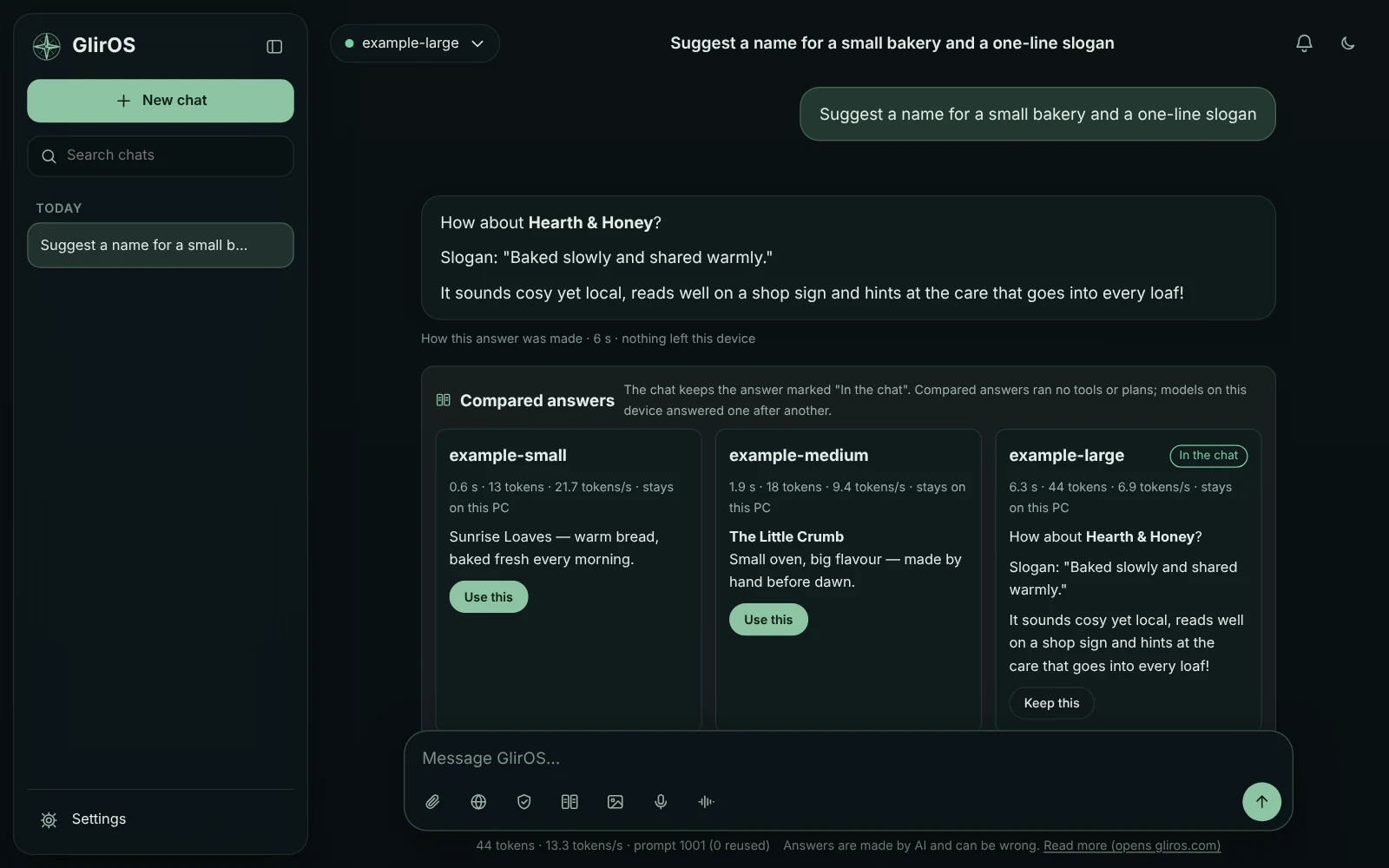
Switch on Settings > Models > Advanced > Compare models (beta), then press Compare by the message box: your next message goes to up to three models. Their answers are shown side by side with time, tokens and speed, and you choose the one that stays. A cloud model is asked about first.
One test for every model
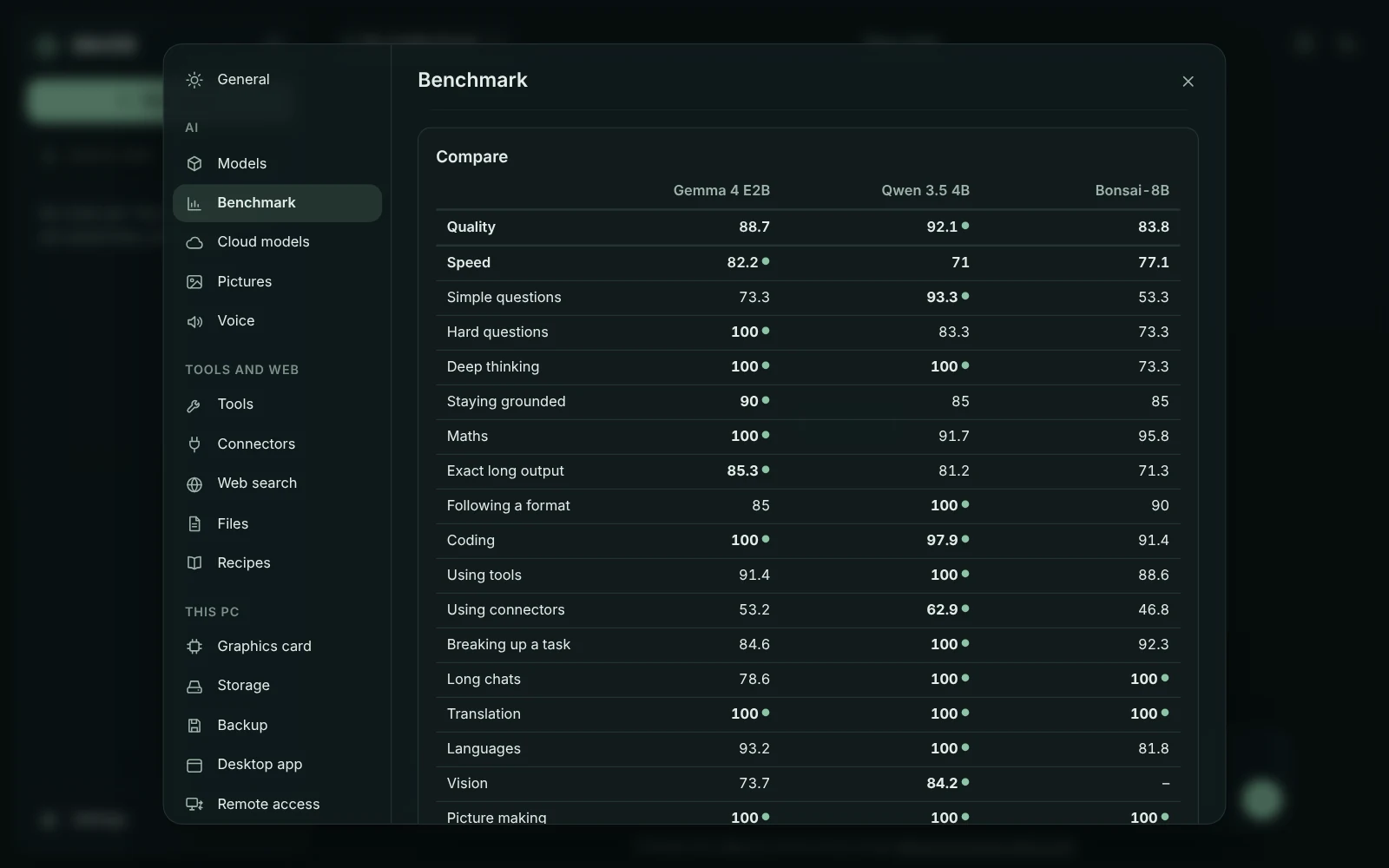
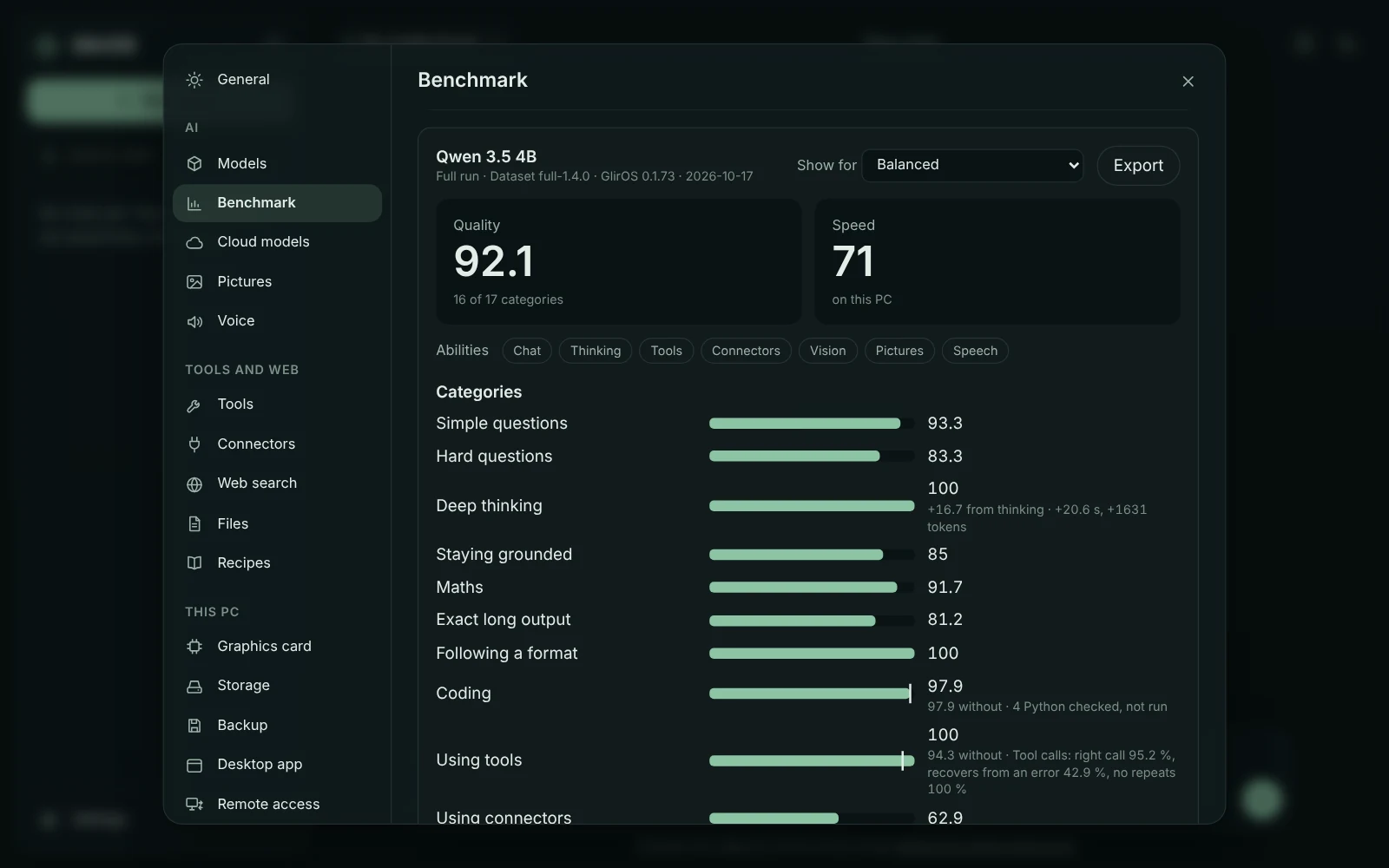
Settings > Benchmark in the desktop app runs the same test on any model, on your PC or in the cloud. It gives two scores, Quality and Speed, and a line for each of 17 categories: simple and hard questions, deep thinking, maths, following a format, coding (the code is run and tested), using tools (and how reliably), breaking up a task, long chats, translation and languages.
A fair, controlled standard
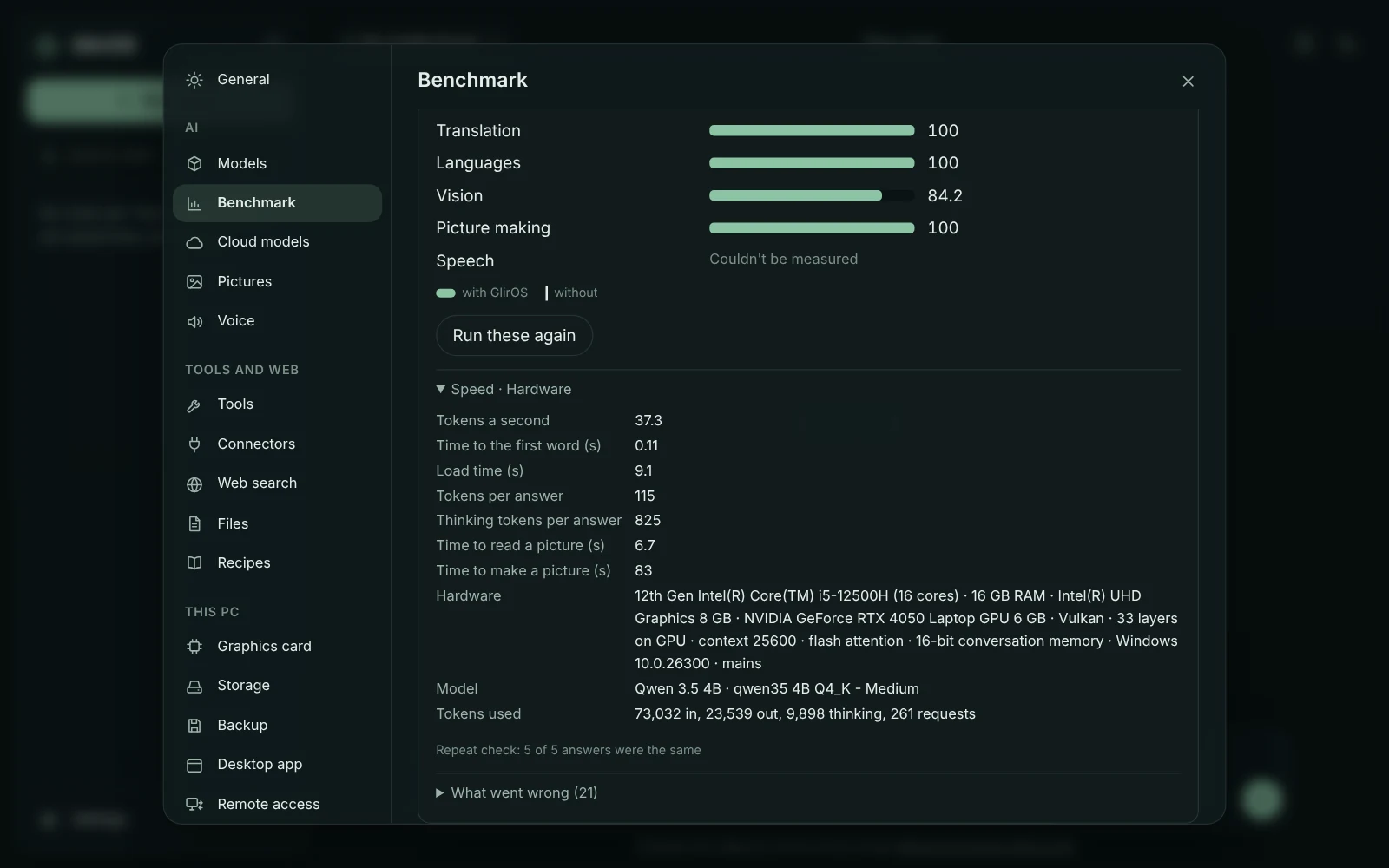
Every model gets exactly the same items with the same fixed settings (temperature 0, a fixed seed), graded by code, not by another AI. You can also choose the model maker's own settings; then each item is asked three times. Tools answer from fixed stand-ins, so the test is the same next month, and it works with the network switched off. Speed is shown with the PC's hardware, because speed belongs to the PC.
With and without GlirOS
Every run can be made with GlirOS's help on or off, and the score card shows both. In our own test, with GlirOS's help three small models completed 18, 15 and 16 of 18 tool tasks, against 17, 12 and 9 without (Qwen 3.5 4B, Bonsai 8B and Gemma 4 E2B; one run each on an RTX 4050 laptop, GlirOS 0.1.73, 2026-10-17). The difference differs from model to model, and it can be small: measure it on your own PC.
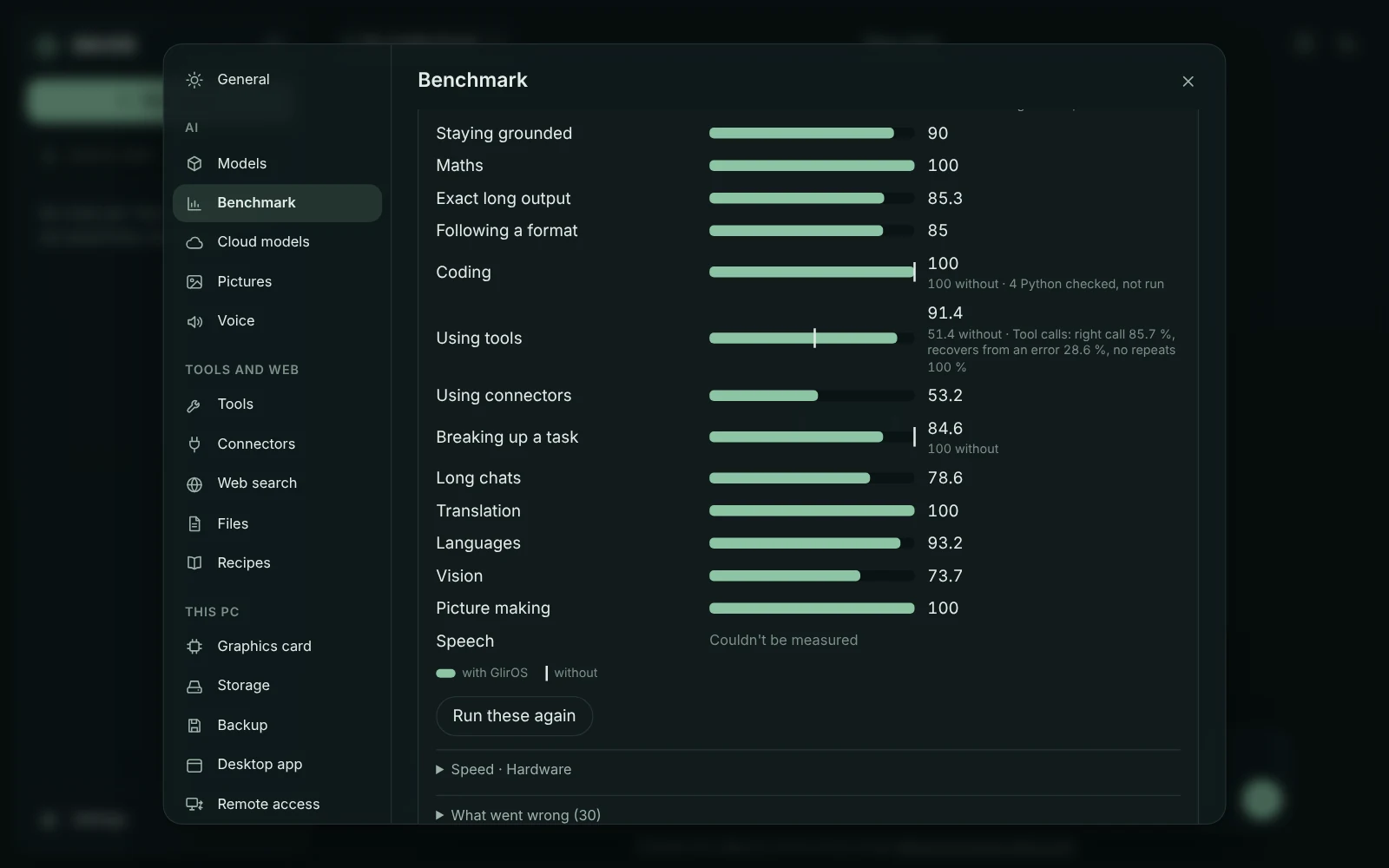
Keep, share and compare results
Put runs side by side, category by category. Export a score card picture, a file, a summary or a table, and import a result from another PC to compare. Nothing is uploaded and there is no public table: what you share is up to you.
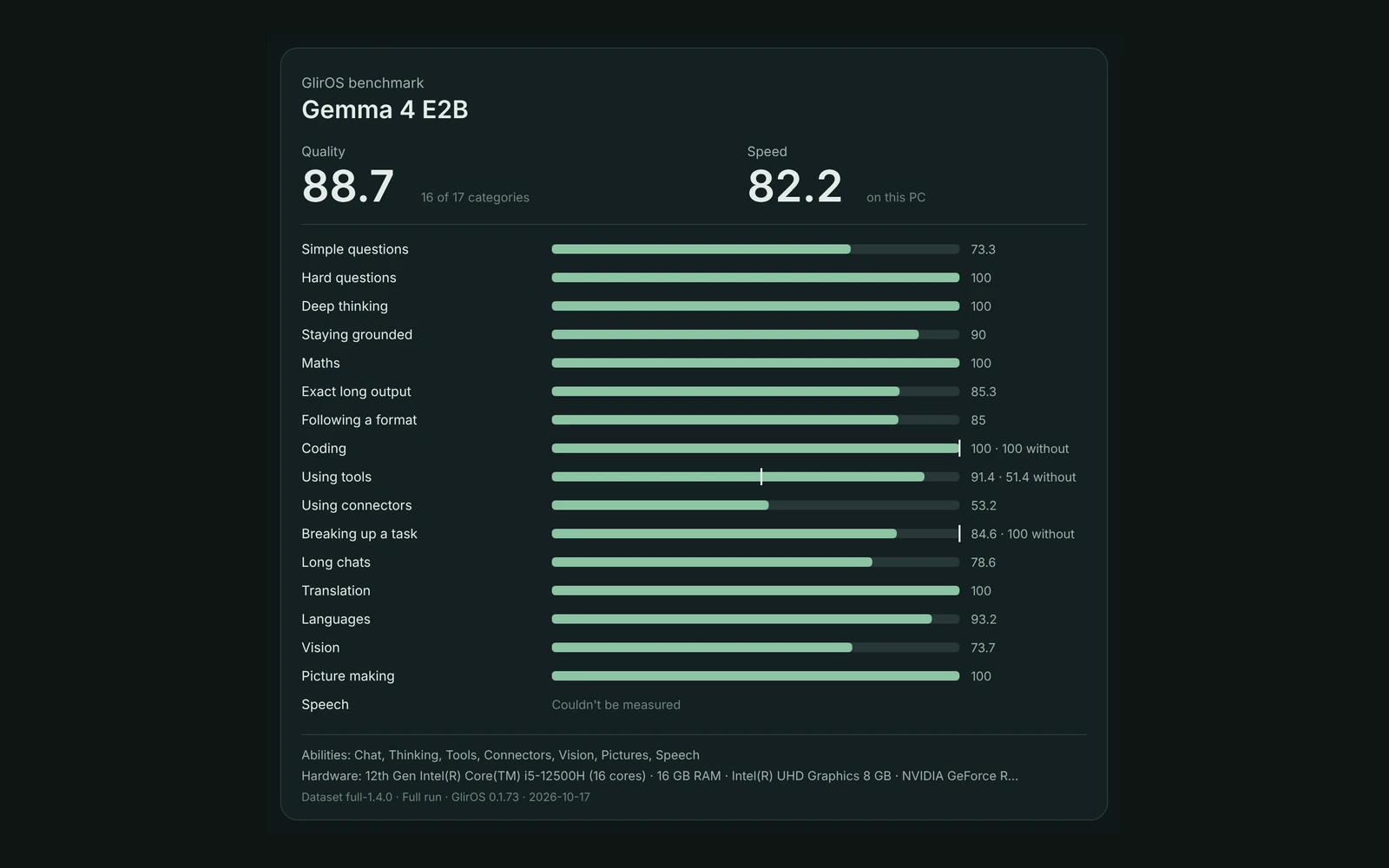
About these pictures
They are real results from that test (benchmark 0.3.3, pack full-1.4.0, GlirOS 0.1.73, 2026-10-17), one run of each model on one laptop, unedited. Connectors are still the weakest category for all three. With help, Bonsai 8B and Gemma 4 E2B each lost one item in Breaking up a task. Gemma 4 E2B often stops after one call where a task needs two. Bonsai 8B can't read pictures, and speech wasn't measured.
Cloud models ask first
A cloud model shows the estimated tokens before it starts, and the result shows what the provider counted. The test texts are written for GlirOS: your own chats and files are never part of it.
Join the community
With a free GlirOS account you can ask and answer in the forum, share score cards and tips with other users, and publish your own tools.
Why do models make mistakes, and how can you tell? How AI works