 GlirOS
Research
A report on your question, with its sources
For a question that needs more than one answer. GlirOS plans it, reads the web and your project's own documents, checks its draft against the sources and writes a report with numbered sources. It works in the background, in the desktop app, in a project.
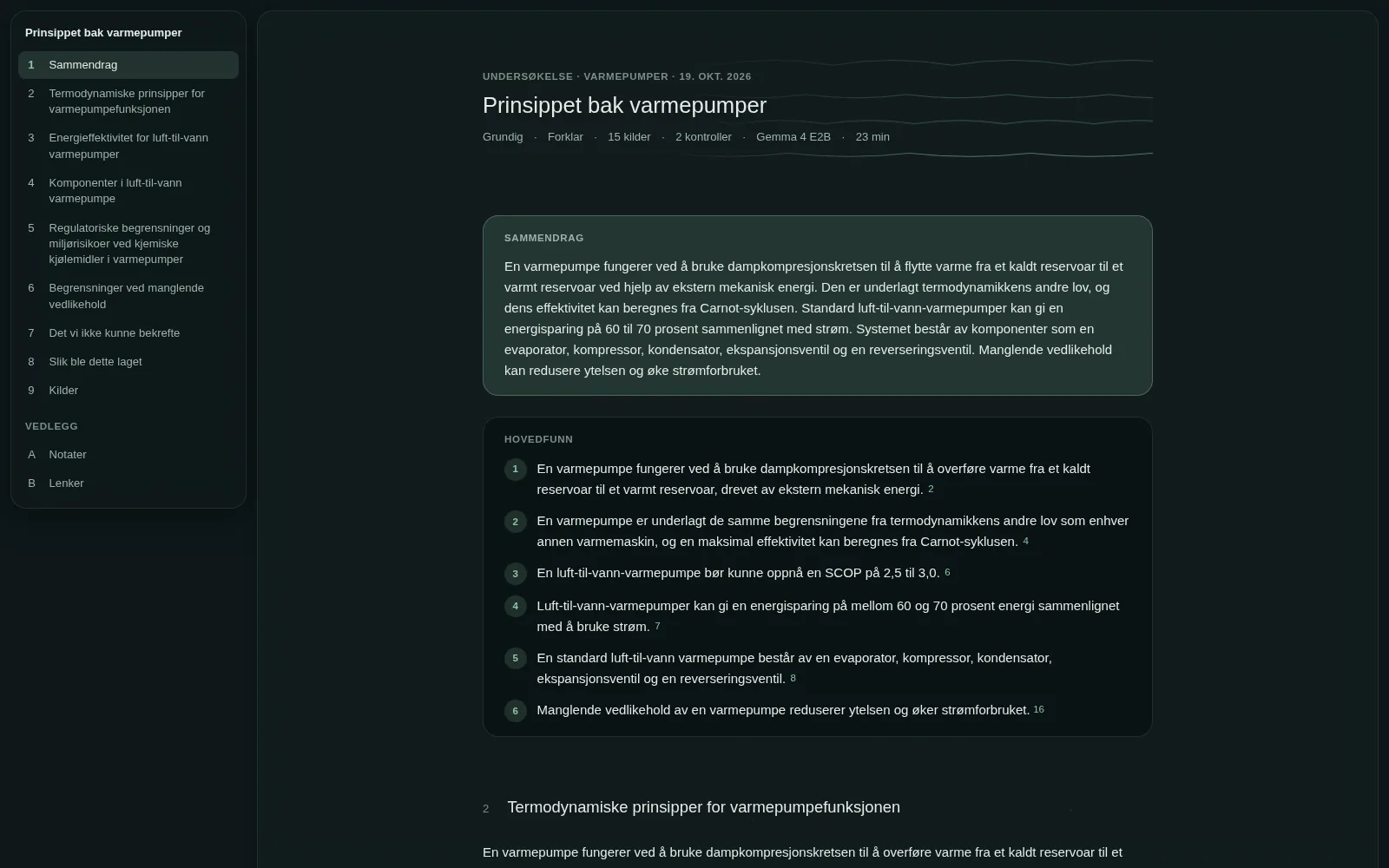
How it works
Four steps, and you can follow each one.
You change the plan
In a project's menu, Research… takes your question or a short brief. GlirOS shows its plan as a list of questions in a new chat: change one, untick one to skip it, then press Start.
It reads
It searches the web, reads the pages and your project's own documents. A card above the message box shows the steps and a dot for each source found, and you can go on with other chats meanwhile.
It checks
A claim stands on two sources from different sites or one official one. Anything weaker goes under "What we could not confirm", and a number that isn't in its source is left out.
You get a report
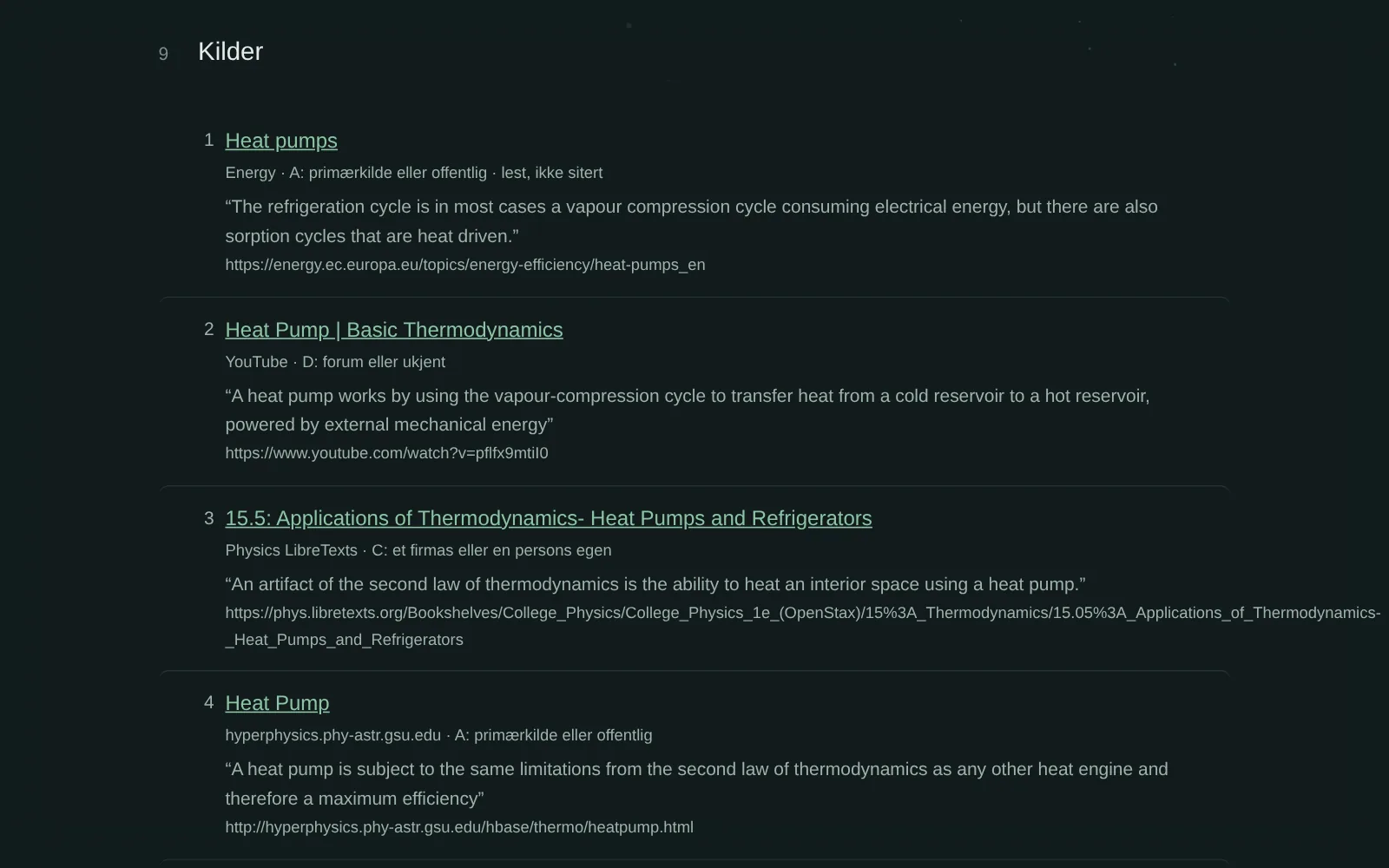
A summary, the key findings, a section per question and the sources with their grade (A official or primary, B reputable, C a company's or a person's own, D forum or unknown). It is kept in the project.
Levels and kinds
Choose how much it reads, and what kind of answer you need.
Three levels
Overview: 3 questions, about 10 minutes. Thorough: 5 to 6, about 30 minutes. Deep dive: 8 to 10, an hour or more.
Four kinds
Explain, Compare (with a table side by side), Decide (with what it points to) or Collect, or let GlirOS choose. If you have a cloud model, it can review the drafts.
An example, as GlirOS made it
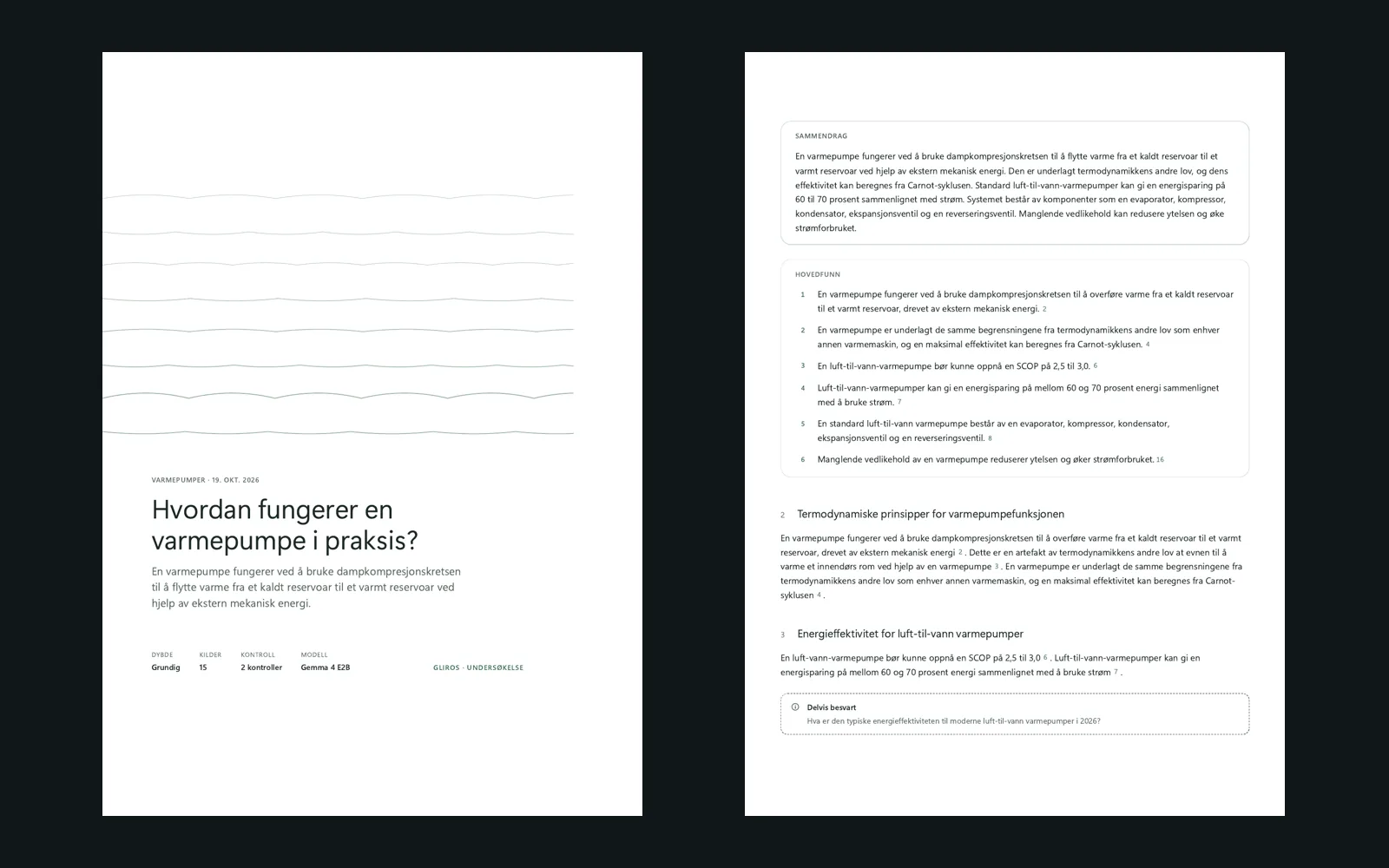
A real report from a PC, made on 19 October 2026 in Norwegian: "How does a heat pump work in practice?", at Thorough, by Gemma 4 E2B, a small model running on the PC. It searched with a Tavily key and took 23 minutes, 19 web searches and 67 pages read; it cites 15 sources. The pictures are from it, unedited: the report as GlirOS saved it, and its PDF.
Pictures where they help
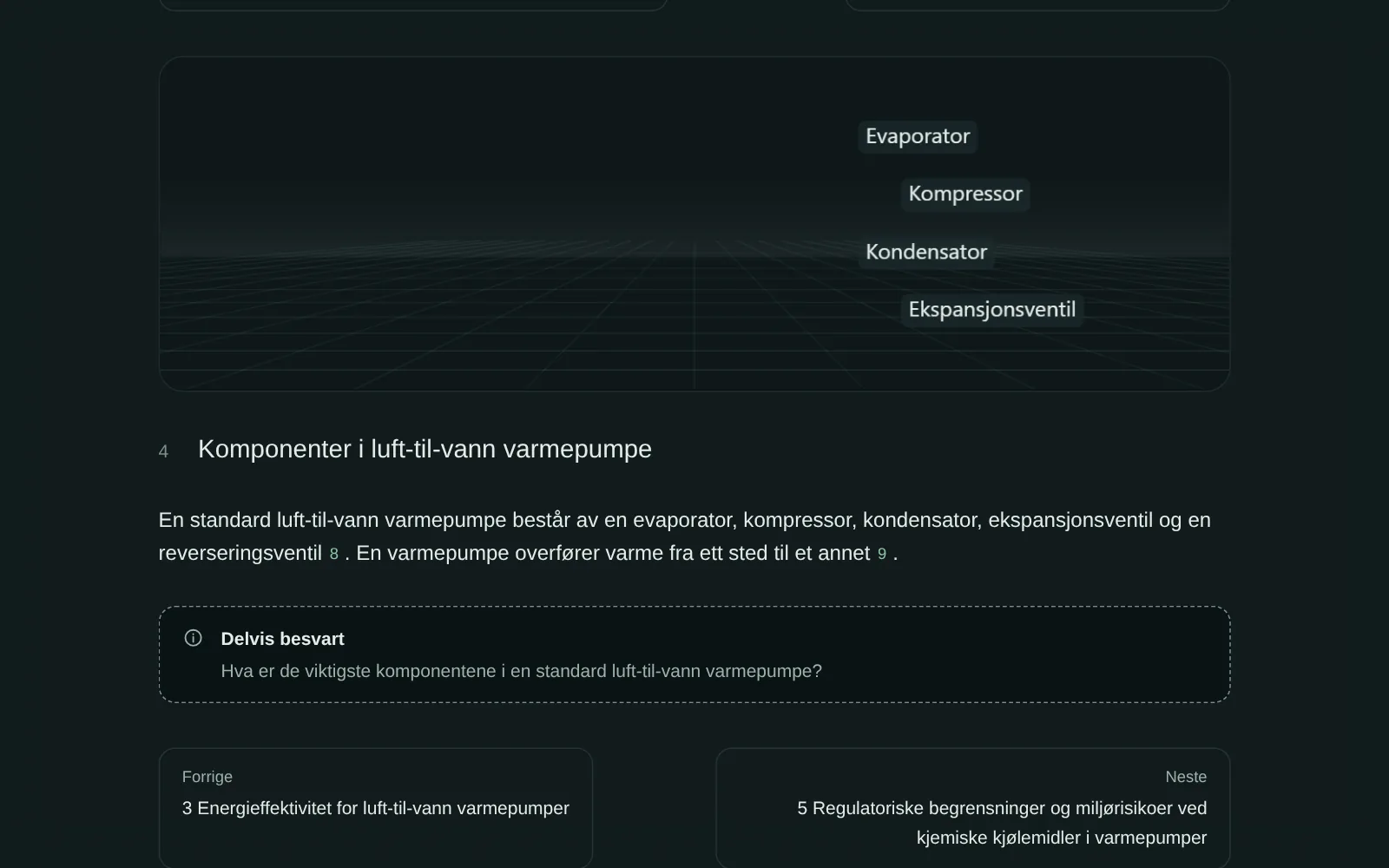
A section can open with a quiet moving picture with its key words, and a section that explains how something works gets its steps in order. Where the sources give numbers, a chart; where they name places, a small map. All drawn on the PC, and still in print.
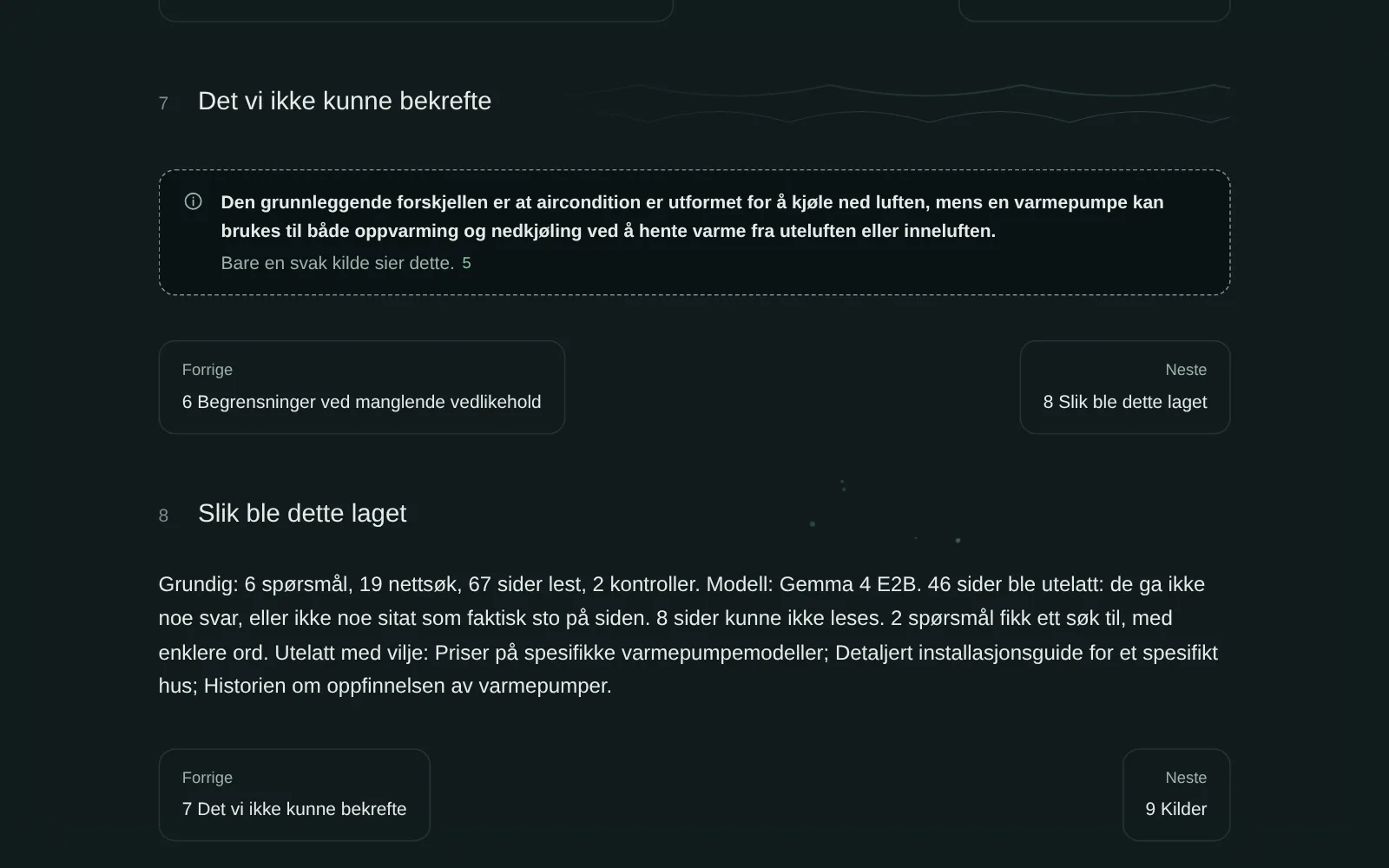
What it could not confirm
Instead of guessing, the report lists what its sources didn't back up, each with the reason: the source it points to doesn't say it, only a weak source says it, or pages were read but none answered.
Every source, graded and quoted
Each source has its link, its grade and the sentence the report used from it, so you can check a claim in a minute.
Ready to share
Saved as a PDF, the report starts with a cover page and a contents page whose entries are links. It also exports as a zip, and stays in the project, where every chat in it can find it.
What leaves the PC
The web searches and the page visits. The brief, the notes and the drafts stay on the PC, unless the model or the reviewer is a cloud model, which GlirOS asks about first.
Steadier searches with your own key
One research makes many web searches, and the free search can stop answering after many of them. Your own Brave Search or Tavily key keeps them going.
Better web search with your own key →